
Beyond Brittle Selectors: AI Vision Testing vs Playwright MCP — StarEast 2026
Brittle selectors slowing your team down? My notes from StarEast 2026 on AI vision testing vs Playwright MCP — and where to start.
AI test automation has been moving fast enough that keeping your bearings requires deliberate effort. I attended a full-day tutorial at StarEast 2026 on AI-driven test automation partly to validate approaches I was already using and partly to see what peers at other companies were doing in production that I might be missing. That kind of perspective is hard to get from documentation and blog posts alone. It helped that the presenter was someone I'd worked with earlier in my career; I knew going in that whatever they'd put together on this topic would be a real discussion, not a framework pitch.
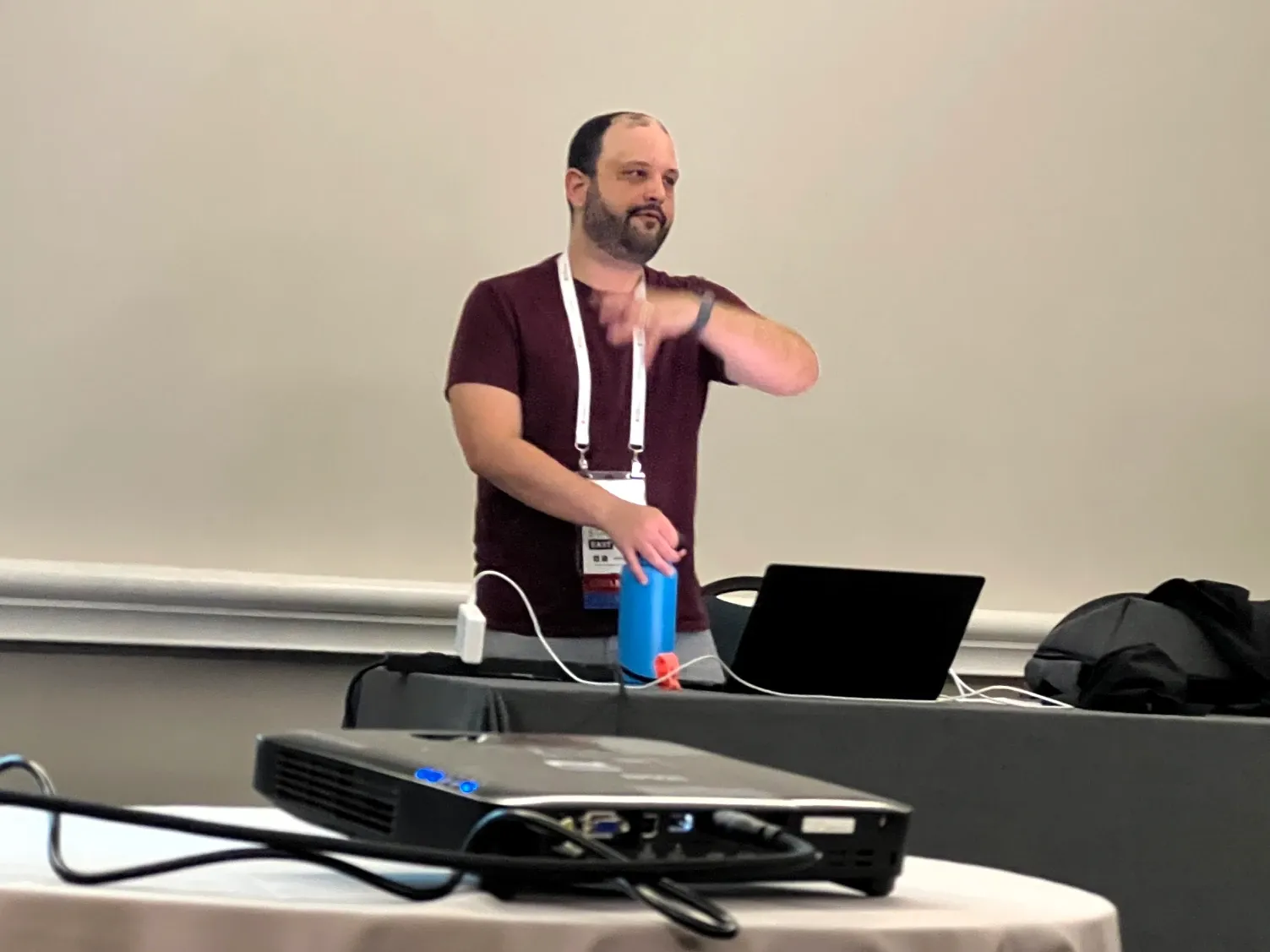
The session was presented by Dionny Santiago, an Engineering Manager at Indeed and PhD candidate at Florida International University. I came away with my thinking on some things reinforced, some things reframed, and one honest disagreement: whether Playwright MCP might be the more practical starting point for most teams. One small aside worth mentioning: Santiago started his career at Ultimate Software, which is also where I spent a significant part of mine. It's a small world in QA, and that shared history made what could have been a lecture feel more like a conversation.
Why Test Quality Is the Gap: The DORA Data
Santiago didn't open with a product demo or a framework overview. He opened with data — specifically, the DevOps Research and Assessment (DORA) metrics, a large-scale survey of software teams across the industry that categorizes organizations into four maturity buckets: elite, high, medium, and low performers. The distribution is roughly normal, with most teams clustering in the middle and smaller tails at each end.
| Metric | Elite Performers | Low Performers |
|---|---|---|
| Deployment Frequency | On demand | Monthly or less |
| Lead Time for Changes | < 1 hour | 1–6 months |
| Change Failure Rate | < 5% | 64% |
| Mean Time to Restore | < 1 hour | 6+ months |
The counterintuitive finding — the one Santiago specifically called out — is the change failure rate. Elite teams deploy on demand, potentially hundreds of times a day, and their deployments fail less than 5% of the time. Low performers deploy monthly and fail 64% of the time. The intuitive expectation is the opposite: constant change should produce more breakage. The data says otherwise.
Santiago's framing points toward smaller, more frequent changes as the mechanism, but I think there's another way to read it. Teams that have the testing maturity, tooling, and processes to deploy on demand with confidence are the same teams that have low failure rates. The causality may run in the other direction from how it's often presented: it's less that frequent deployment causes lower failure rates, and more that teams mature enough to ship constantly have already solved the problems that cause failures. Teams that lack that maturity are often constrained to less frequent deployments precisely because deploying is risky for them.
Common justifications from lower-performing teams tend to sound like:
- Regression takes too long
- We have too many manual tests
- Our automation breaks too much
- We keep missing defects
The elite performers have earned their deployment frequency by taking proactive steps to fix these issues. Either way, test quality is central to the picture.
The Brittle Selector Problem
Santiago's case for moving beyond scripted automation started with a precise diagnosis of why it fails. Selectors are implementation details. A test that locates a button by its CSS class name or DOM attribute is asserting something about how the code is structured. When the structure changes as new features are added or the UI is updated, the test breaks even when the feature works, creating a maintenance burden and eroding confidence in the automated test suite.
Left unchecked, the cost of keeping tests passing eventually exceeds the value they provide. Teams start skipping test runs, marking failures as known issues, ignoring them, or simply deleting tests that have become too expensive to maintain. For higher-performing teams, reliable automation is a sail. For lower-performing teams running brittle suites, it becomes an expensive anchor. The maintenance problem isn't new. Santiago's proposal was to sidestep it entirely: instead of describing UI elements through markup selectors, teach an AI to see and understand the page the way a human tester would.
Two things from the session are worth carrying into any conversation about this. Santiago shared a quote from Rajesh Natarajan, Senior Director of Quality Engineering at Hiscox, from a recent World Quality Report: "AI can do wonders for you, but not before you make yourself mature." Overlaying AI on a broken testing foundation just accelerates the failure. And a fellow attendee named Emily offered the most practical advice of the day: start small, pick a specific component, iterate. Build a planner first, get that right, then move on to the next problem. One component, not an entire framework or platform migration.
In other words:
- Experiment first with a small component
- Fix your foundation before adding AI on top
AI Visual Testing: How Santiago's Team Does It
Santiago's core argument for computer vision is direct: "Computer vision is the evolution of the CSS selectors and the XPath selectors." A human tester (or user) doesn't know or care what class name a button has — they see a button and know what it does. A vision model can do the same thing. Instead of describing UI elements by how they're coded, you describe them by how they look. The selector problem dissolves when your automation sees the page the same way a person does.
Santiago walked through the computer vision capability hierarchy, which maps roughly to how precisely you need your model to understand the UI:
- Classification — What is this element? ("This is a button.")
- Classification + Localization — What is it and where is it? (Adds a bounding box.)
- Object Detection — Multiple elements identified and located simultaneously.
- Instance Segmentation — Pixel-level identification of each individual element.
For test automation purposes, Object Detection is the practical sweet spot — you need to know what elements are present and where they are so an agent can interact with them. Full instance segmentation is more precision than the problem typically requires.
This isn't purely theoretical. Before ChatGPT and large language models, Santiago's team at TestAI used computer vision to automate BIOS testing for a major client — a case where there was no DOM, no selectors, no framework to fall back on. They ran an HDMI capture card inline to grab screenshots and built a vision model specifically for the BIOS interface. It worked. That story is worth remembering because it illustrates where computer vision isn't just a better approach — it's the only approach.
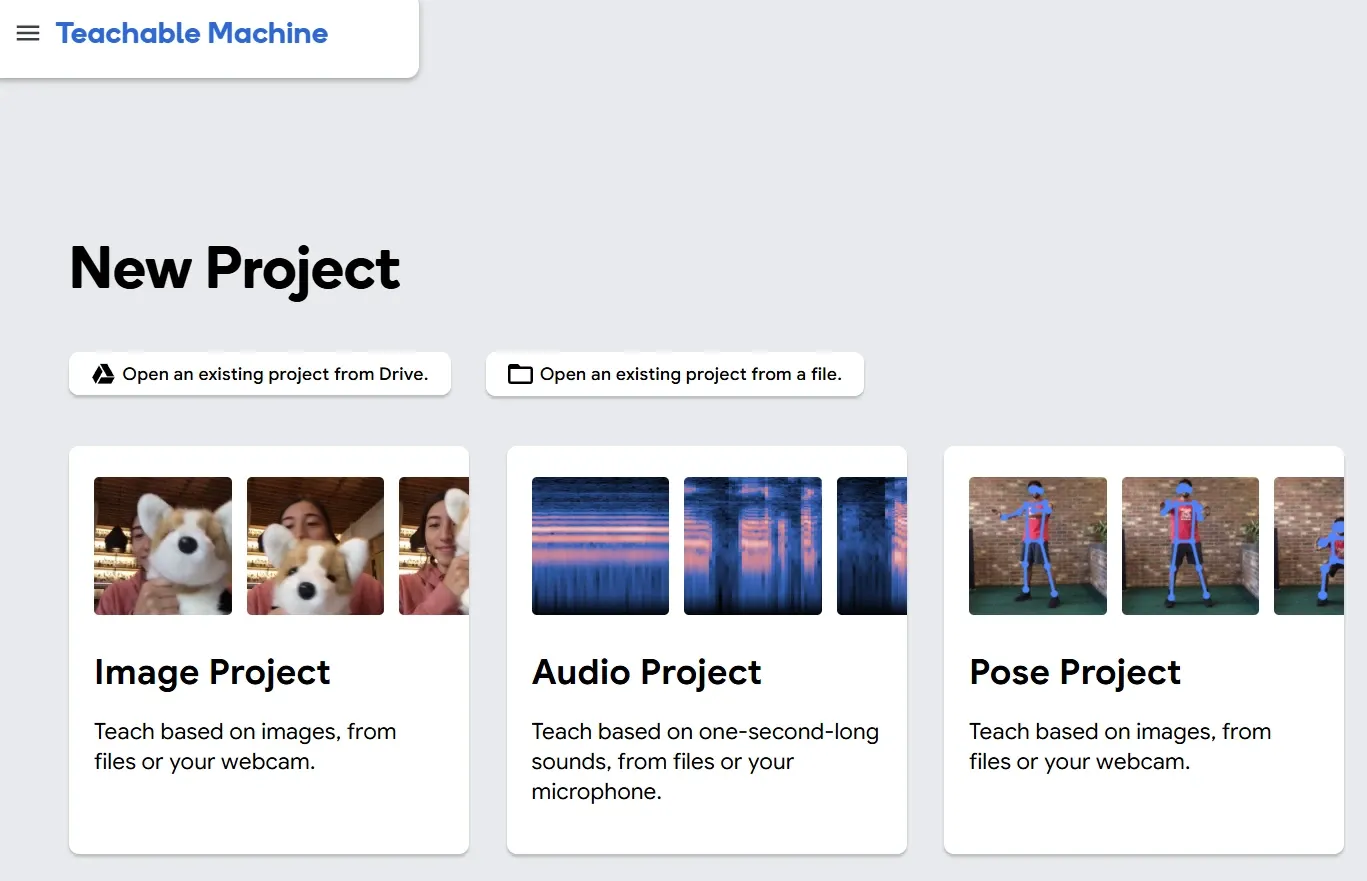
What makes his current research unusual is the depth behind it. His fine-tuned vision model was trained on 50,000 labeled screenshots, with the labeling work crowdsourced through approximately 70 students at FIU over time. That represents years of serious research investment, and it's what makes his model actually work rather than roughly work. He also introduced lower-barrier entry points for teams wanting to experiment: Teachable Machine from Google for no-code model training on your own images, Google Cloud Vision for pre-trained element identification, and Roboflow for dataset management and model training.
In the tutorial's hands-on exercise I partnered up with my coworker, Michael Brewer, to train and use Google's Teachable Machine to see how accurate it was in identifying our different faces.

The Indeed Production Story: Agents Running in the Wild
The section that made the session concrete was the Indeed deployment. Santiago's teams at Indeed are running approximately 50 autonomous agents in production — on their backend microservices, where his teams own the APIs and infrastructure rather than the UI. The concepts from the tutorial apply broadly, but it's worth noting the production deployment is backend-focused.
The agents operate in two modes. The first is familiar: they run a fixed set of scripted tests on a schedule. The second mode uses whatever compute remains after the fixed tests run. Santiago's instruction to the agents for that idle time: "dream of any test cases that you can dream of — think of some crazy edge cases and run them." His teams had enough fixed tests to fill about 10 minutes of a 50-minute execution window, leaving 40 minutes for autonomous exploration before reporting anything that looked significant at end of day.
Dionny's team created MCP tooling to enable the AI to perform the tasks it dreams up. So, for example, if an agent decides it wants to test creating two jobs and posting them on Indeed.com, there's an MCP tool that lets it do exactly that, posting a real job in a controlled environment.
He did note you have to proceed with caution, "You have to give them parameters, so they don't do things that will destroy your database."
There's also a separate classification agent running alongside, purpose-built for triage. When the day's report comes in, it's not a raw dump of every possible failure. Santiago's team built a classification prompt that teaches it what to flag and what to ignore, so the report surfaces only what warrants attention. That feedback loops back into the next execution via MCP. Without that filter, a report of a thousand possible issues every day is a report nobody reads.
The payoff once that foundation is in place: Santiago described it as a mindset shift away from prescriptive test cases. Once the infrastructure is set, any person can come in and tweak the prompt when agents are doing something wrong or missing something. No code change required.
When someone in the room asked about ROI, Santiago's answer was two things: the regressions you catch, and the maintenance cost you stop paying on brittle suites.
Agent Architecture: Skills, Context Rot, and the Idea I'm Taking Home
Of everything in the session, the agent architecture discussion is the piece I'm most confident I'll apply directly. Not someday. In work I'm doing right now.
Santiago described a four-layer model for production agents:
┌─────────────────────────────────────────┐
│              System Prompt              │  Core identity, constraints, persona
├─────────────────────────────────────────┤
│                 Skills                  │  Dynamically loaded, task-specific instructions
├─────────────────────────────────────────┤
│                  Tools                  │  External capabilities via MCP
├─────────────────────────────────────────┤
│                 Memory                  │  State persistence across interactions
└─────────────────────────────────────────┘
The system prompt and tools layers are familiar to anyone who has worked with LLM agents. The skills layer is the one worth dwelling on, because it addresses a problem Santiago named that I hadn't seen clearly articulated before: context rot.
Context rot is what happens as a conversation or agent session grows longer. The model's accuracy degrades as the context window fills, and the degradation is significant. Santiago described it as a curve: an agent that starts at close to full accuracy can drop to around 40% accuracy as the context window approaches its limit. Earlier instructions lose weight, the agent drifts from its original task, and decisions start contradicting earlier ones in the same session. If you've noticed an AI assistant getting noticeably worse the longer a conversation goes, that's context rot.
The skills pattern addresses this directly. Rather than front-loading every instruction into one large system prompt, you define skills as discrete, loadable units of instruction with short one-line descriptions. The agent reads those descriptions and decides which full skills to load based on what the current task actually requires — a login skill, a form-fill skill, a checkout skill: each authored once and composed as needed. This keeps the active context lean and ensures the most relevant instructions stay prominent. Agent skills is a specification published by Anthropic, and all the major model providers have adopted it. Santiago referenced agentskills.io as the spec. The pattern enables reuse across agents and is a clean structural solution to a problem that anyone building agents at scale is going to hit.
My Honest Reaction: The Vision Gap
Santiago's approach has real substance behind it. The reasoning is sound, the BIOS example shows cases where vision is the only viable path, and the production deployment at Indeed demonstrates that autonomous agents with real coverage are achievable today. I left genuinely impressed.
I also left thinking about barrier to entry for the UI testing use case the tutorial covered. Santiago's fine-tuned vision model works because Santiago has a PhD research program, approximately 70 students who helped label 50,000 screenshots, and years of ML expertise to build and maintain it. Those results depend on that investment. The BIOS case is a strong argument for vision — but the BIOS had no alternative. For UI testing where you do have alternatives, the question becomes whether the investment is justified given what else is available.
For most QA teams, the fine-tuning pipeline isn't available. Teachable Machine lowers the floor meaningfully, but it doesn't eliminate the need to curate training data, evaluate model performance, and manage retraining as the UI evolves. There's also an open question I kept coming back to: how does vision-based testing handle high-churn UI? If your front-end team ships frequent visual changes, how often does the model need retraining? Santiago acknowledged this — LLMs are increasingly helping automate the labeling feedback loop, which reduces the cost significantly. But it's still a real ongoing operational consideration.
The Shovel-Ready Path: Playwright MCP and Structured Accessibility Snapshots
Playwright MCP, paired with an LLM, enables AI-driven testing. The difference from Santiago's approach is what the AI uses to understand the UI.
Playwright's own documentation describes it plainly: the Playwright MCP server provides browser automation capabilities through the Model Context Protocol, enabling LLMs to interact with web pages using structured accessibility snapshots. That phrase — structured accessibility snapshots — is doing the same conceptual work as Santiago's vision model. Instead of a screenshot processed by a computer vision model, you get a semantic representation of the UI that exposes what assistive technologies see: element roles, labels, states, hierarchy. An LLM can navigate and interact with a page using that snapshot the same way Santiago's agents navigate using visual understanding. No selectors. No implementation details. What's on the page, described in terms a human would recognize.
I've used Playwright MCP to create exploratory tests — the LLM navigates the application and interacts with elements using the accessibility snapshot rather than hard-coded selectors. That maps directly to Santiago's free-time autonomous exploration concept. The agent explores, builds a model of the application, interacts, and learns through semantic structure rather than pixel recognition. On one side: 50,000 labeled screenshots and a model training pipeline. On the other: a Playwright MCP server and a prompt.
However, there is a tradeoff for the simplicity of the Playwright discovered structure approach. Structured accessibility snapshots won't catch purely visual regressions — layout shifts, color errors, rendering artifacts, elements that are present in the accessibility tree but visually obscured. For that class of problem, Santiago's pixel-level approach is the right tool. The brittle selector problem, though, is fundamentally about semantic resilience, and Playwright's accessibility tree addresses that with infrastructure most teams already have.
Where AI Vision Testing and Playwright MCP Converge
Vision-based/visual testing and accessibility-tree-based testing are solving the same problem from different directions. Both give an automated agent a human-like understanding of the UI — one through what the page looks like, one through what the page means semantically. There's an interesting parallel in that second approach: the accessibility tree is the same representation that screen readers use to describe pages to users who are blind or have low vision. Those users navigate by what elements are and mean — roles, labels, states, hierarchy — not how they look. An AI agent using Playwright MCP is doing the same thing. As vision models get cheaper to train and fine-tune, and as LLMs continue improving at vision tasks, the investment required for the fine-tuning path will decrease. Santiago noted that labeling work that once took days now takes minutes with LLMs helping automate the feedback loop. The gap will narrow.
Santiago's work at Indeed is probably a preview of where the ecosystem is heading. The timeline is different for every team. The context rot and agent skills architecture are the pieces that apply regardless of which direction you're going — if you're building any kind of AI agent for test automation, whether UI or backend, that pattern is worth understanding and applying now.
Where to Start
If you're building AI agents or working with LLM-driven test frameworks today, apply the context rot and agent skills pattern. It's tool-agnostic, it addresses a real structural problem, and it will make your agents more reliable regardless of what they're testing.
If you're dealing with brittle selectors and want a practical path forward this quarter, Playwright MCP and its structured accessibility snapshots are where I'd start. Begin with exploratory tests — let the LLM navigate using the accessibility snapshot — and build from there without any model training infrastructure.
If you have the research runway and want to invest in the longer-term vision-based path, Santiago's AGENT project at github.com/dionny/AGENT is the open source starting point, built on Claude Sonnet 4.6. Teachable Machine is the lowest-barrier way to begin working with custom vision models on your own UI.