

Playwright AI Testing on a Budget: Locators vs. Computer Vision — StarEast 2026
Playwright's MCP server can burn your AI budget fast. StarEast 2026 lessons on efficient AI testing, and why locators still beat computer vision.
Andy Knight's half-day StarEast 2026 tutorial, officially titled "Top-Notch Web Testing with Playwright and AI," was billed as a hands-on walkthrough, and for most of its four hours, that's exactly what it was. Two claims kept it from being just another how-to for me. Playwright's MCP server can burn through an AI testing budget fast enough to matter (one joke about a junior developer's $5,000 month illustrated that point), and computer vision based testing, despite what a different StarEast tutorial argued the day before, is unlikely to replace locator-based Playwright tests anytime soon.
Knight, who goes by Pandy or Automation Panda depending on which corner of the testing internet you found him in, is an actual Playwright Ambassador. His session was the third of four StarEast 2026 tutorials I attended over two days, the first two are their own write-ups, on getting started with AI-driven automation and AI vision testing and evals, vibe coding, and prompt engineering. Knight acknowledged near the end that the class hadn't gotten through the whole tutorial repository live, "we only got through about half of what's in the tutorial repository." Part of that had a funny explanation: Knight assumed most of the class had simply ignored the prerequisite machine setup instructions he'd sent out ahead of time. It turned out the StarEast organizers never actually emailed those instructions to anyone. So the room spent a chunk of class scrambling to install several hundred megabytes of Playwright's browser dependencies over the now-saturated conference Wi-Fi. The organizers only figured out what happened when they noticed the network anomaly and mentioned it to Knight, at which point I felt vindicated, I'd been certain no such instructions were ever sent and had assumed I'd just failed to do my homework.
Everything below is what we actually built and discussed in the room, plus what I read in his written tutorial chapters afterward to fill in gaps.
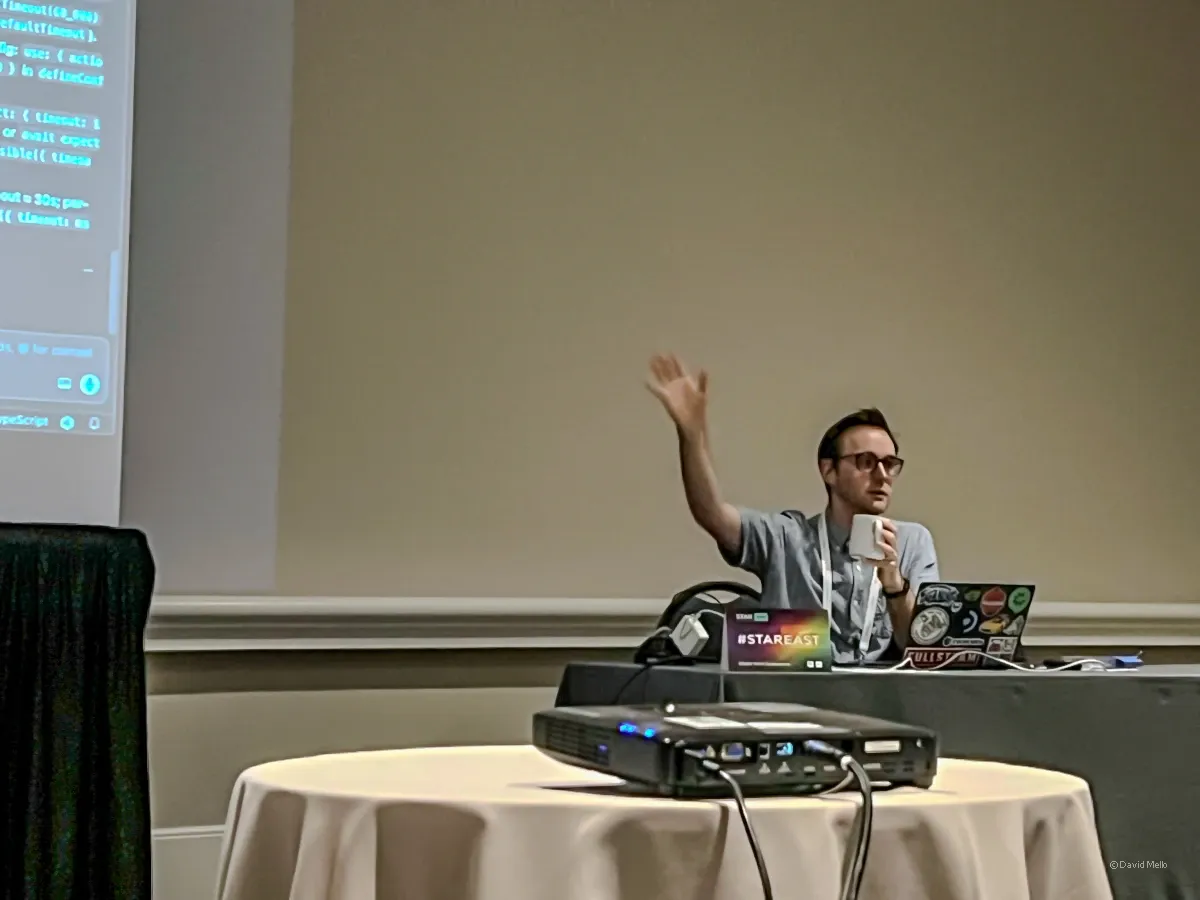
Playwright vs. Selenium: What Actually Got Fixed
Knight opened by asking the room what makes test automation hard, and the answers came fast: tests are slow, brittle, flaky, don't make sense when you read them back, don't make money (a real line, "we're not shipping tests to customers"), and force a context switch every time you flip from building a feature to testing it.
The classic fix for this was the Testing Pyramid, lots of cheap unit tests at the base, fewer expensive UI tests at the top, because UI tests were "big, slow, and expensive." Knight's pushback wasn't that the pyramid's diagnosis was wrong. It was that the diagnosis got blamed on the wrong cause:
"End-to-end tests can be very valuable. Unfortunately, the Testing Pyramid labeled them as 'difficult' and 'bad' primarily due to poor practices and tool shortcomings."
He had a punchier name for what should replace pyramid-style thinking ("we don't build pyramids anymore, we build skyscrapers"). We'll revisit that line in a later section because I don't think it holds up quite as cleanly as it sounded in the room at the time.
What does hold up is the tooling argument. Playwright's actual fix for "UI tests are slow and flaky" is architectural: one browser instance per worker, with each test pulling its own isolated browser context out of that instance ("akin to an incognito session, or a mini container in your browser"), and each context holding one or more pages. Spinning up a context is nearly instant, which is the opposite of Selenium's per-test full-browser-relaunch model. Knight's own story below, about discovering this, resonated with me because I had a similar reaction when using Playwright for the first time.
"I remember the first time I used Playwright, this was back in late 2021... I quickly bang out about a dozen tests or so... I go to the terminal, I'm like npx Playwright test, run it, hit it, and then within a second it comes back and it says 12 tests passed. And I'm like, no, no, no, no, no, it didn't find the tests, it didn't run the tests, it skipped it, something went wrong... then I run it in headed mode, and it was so fast... I was expecting each test to take about a minute, because I came from Selenium, but it's like when I say it's freaky fast man, it is, it screams."
Playwright avoids the behavior that gives Selenium its flaky reputation by, among other things, polling automatically: locators and assertions keep rechecking until they succeed or time out, instead of failing the instant they're called, if misaligned. Selenium does the opposite by default, checking once, so a test that forgets to include explicit waits fails the moment the page hasn't caught up yet. Playwright's defaults give that polling a generous window: locator actions retry for 30 seconds, expect assertions for 5, enough slack to absorb a slower page load between runs without anyone configuring a thing. Knight was fair to say, "Selenium itself is not flaky, it's the tests that people write with it." Playwright's real contribution is removing a specific set of execution-speed and tooling-friction problems that made E2E testing painful for the last decade, not inventing testing concepts from scratch.
From Codegen to a Real Test
The hands-on portion started with npx playwright codegen against a local Trello-style Kanban app (a clone built by Filip Hric, used with permission). Codegen records your clicks and fills into a script, and the output is rough on purpose, Knight's framing: "there's a difference between a script and a test case... we can use this to ruthlessly refine it into a better test case."
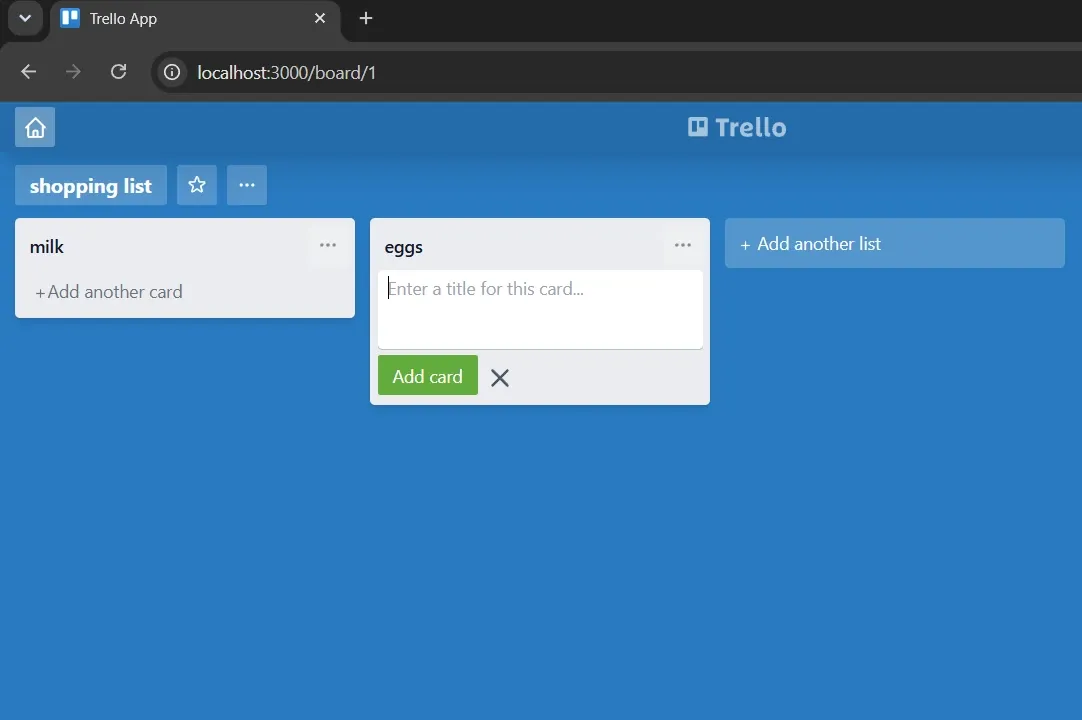
Refining it meant three things: trimming the clicks codegen over-records (you don't need to click an input before typing into it), picking stable locators (data-testid attributes if you control the app, "these are very nice test hooks to have"), and adding the assertions codegen never gives you, since codegen only captures interactions, not verifications.
We iterated from the raw click events through refining the flow so it could be run repeatedly by adding things like pre and post test hooks to ensure the test launches in the correct state and doesn't leave behind past entries that would cause different state between runs. Here's my own rough version of that test, written live in the room.:
import { test, expect } from '@playwright/test';

test.beforeEach(async ({ page, request }) => {
  // Added this reset endpoint to erase the board and then naivate to the app at the start of each test run
  await request.post('http://localhost:3000/api/reset');
  await page.goto('http://localhost:3000/');
});

test.afterEach(async ({ request }) => {
  // Added this explicit reset after each test to erase the board (belt and suspenders with the beforeEach's erase)
  await request.post('http://localhost:3000/api/reset');
});

test.afterAll(async ({ browser }) => {
  // Added to close down the browser after all the tests complete
  await browser.close();
});

test('Create a new board with list and cards', async ({ page }) => {
  // You'll notice the selector repetition and lack of page objects which we didn't get to during the session / wasn't a primary focus
  await page.getByTestId('first-board').click();
  await page.getByTestId('first-board').fill('chores');
  await page.getByTestId('first-board').press('Enter');

  expect(page.getByTestId('first-board')).toHaveValue('chores');

  await page.getByTestId('add-list-input').click();
  await page.getByTestId('add-list-input').fill('todo');
  await page.getByRole('button', { name: 'Add list' }).click();
  await page.getByTestId('new-card').click();
  await page.getByTestId('new-card-input').fill('walk the dog');
  await page.getByTestId('new-card-input').click();
  await page.getByTestId('new-card-input').fill('mow the lawn');
  await page.getByTestId('home').click();

  // Didn't have a chance to add more assertions, was helping classmates with setup.
});
Test data was the other rough edge. The app resets its entire backend through a /api/reset endpoint, called via Playwright's request fixture, and Knight was explicit that this was a deliberate, temporary shortcut: "Remember, this is a tutorial, friends. Don't do this for real... Do not say automation panda told me to drop my whole database as test setup. No, he did not." The honest cost of that shortcut showed up immediately: resetting the whole database before every test means tests can't run in parallel, so the class was capped at --workers 1 for the rest of the session. Fixing that properly (per-test data instead of a global wipe) is exactly the kind of thing that's covered in the tutorial's later, unreached chapters, more on that near the end of this article.
The Efficient AI Workflow: Playwright CLI vs. MCP
Coming into this session, I'd already absorbed the soundbite that Playwright's CLI is more token-efficient than its MCP server, but nobody had explained why, and I had a more basic confusion sitting underneath that one: the CLI is just terminal commands, so in what sense is that even "AI"? Knight's session got me most of the way to an answer. It didn't fully click until I went and read more on my own afterward.
Once the manual test was working, Knight pivoted to AI, with an important framing up front: "Playwright doesn't bring its own model, it doesn't bring its own magic. Basically what it does is it brings tooling to integrate into existing AI coding agents." You still need Claude, Cursor, Copilot, or Codex. Playwright gives that agent two different ways to actually drive a browser.
MCP (Model Context Protocol) exposes structured tools like browser_navigate and browser_snapshot to your coding agent. It works well, and it's expensive. Knight's framing of why, in full:
"There's a problem with MCP. Does anybody know the problem with MCP? Burns a lot of tokens. It burns a heckin' ton of tokens... Intelligence is a utility. You pay a power bill, you pay a water bill. Guess what we're all paying for next? An intelligence bill."
The joke that opened this article followed directly: a junior developer who ran up a $5,000 month using MCP without understanding the cost. The mechanism, explained later in the session, isn't about which model you use, it's that MCP's tool schemas and structured page snapshots eat far more context window per step than a plain terminal command does, which forces more turns, which burns more tokens.
Playwright's CLI does the same browser-driving job as MCP, as plain terminal commands instead of structured tool calls, and according to Knight, "uses a tenth of the tokens." His actual decision rule, given directly in response to "why would you ever use MCP if the CLI is so much cheaper":
"The CLI is really good if you are doing the workflow that we are doing, for test developers, for grinding out some code, with coding agents CLI is better. But let's say that you wanted a more agentic workflow that wasn't you coding. Let's say you had to use Playwright as a browser automation tool in some way, writing a web scraper or web browser. In those cases the MCP is going to be better than the CLI. Because the MCP can be hosted on a network that you can reach out to it back and forth. CLI is all local to your machine."
Here's the part that actually answered both of my questions, the AI-or-not question and the why-tokens question, together. Both MCP and the CLI are AI-driven, in both cases the coding agent itself is deciding what to do and reading the result back. The difference is just what vocabulary it uses to act. MCP issues structured tool calls (browser_navigate, browser_click) over a protocol built on JSON-RPC, so the call and its full response travel through the model's context every time. The CLI has the agent run literal shell commands against itself, something like playwright-cli click e21, the same way it would run any other terminal command in a coding session.
That's also where the token savings actually come from. MCP has to keep the page's structure resident in the session's context for as long as the agent is working with it. The CLI's skills are markdown files sitting on disk, read in only when something needs them, then left there. One holds everything it might need in memory the whole time. The other fetches what it needs and sets it back down.
That also sharpens Knight's own rule (local machine versus network-hosted) into something more concrete. The CLI needs a real terminal, a filesystem, and the ability to spawn its own processes, exactly what you have during local development, and exactly what you don't have everywhere else. MCP doesn't need any of that, which is why it's the better fit in more locked-down or remote contexts: AI-assisted CI failure triage running inside a pipeline with no terminal session attached, for instance, or a low-code product where an agent runs server-side and a non-technical user just describes a test case in plain English, with no shell ever exposed to that agent at all.
Three more habits from the session genuinely earn their place under an efficiency banner, each backed by Knight's own stated reasoning rather than just a vibe:
- Skills over re-explaining. Installing CLI skills (markdown files that teach the agent what commands exist) means you're not "pasting huge help text into every prompt." It's explicitly part of why the CLI uses fewer tokens than MCP in his own comparison, skills are loaded only when needed instead of being baked into every tool call.
- Save state to markdown instead of letting it evaporate. When Knight had the agent save a generated test plan to a file rather than leaving it in chat, his reasoning doubled as a genuinely good explanation of why: "Your context window is only so big... if I didn't save my test plan in this markdown file, I'd have to make it regenerate the test plan again. That sucks." He compared it to saving progress in an old Super Nintendo game before your context window (or your save file) gets wiped.
- Inside-out test generation. Rather than guessing a locator, running the test, watching it crash, and correcting, Playwright's CLI and MCP tooling let the agent build a session step by step, discovering real locators as it goes. "That usually leads to very short loops, not having to repeat a lot of loops." It's a real efficiency argument and it's specific to how Playwright's own tooling is built, not a generic prompting tip.
Knight also argued that AI-assisted test generation cuts maintenance cost, since a broken locator can trigger "a little bit of agentic maintenance... a healing loop, commit that fix back in." I think that may be oversold, or at least dependent on your engineering practices. Maybe this has more of an ROI on pages undergoing rapid prototyping or constant redesigns, but outside of those scenarios, I find locators remain relatively stable once they're set up in a page object model, assuming you're using ID attributes (if they aren't randomly generated) or something like data-testid. Playwright also has modern locator strategies that preclude a lot of the problems people used to get themselves into with XPath or text-based locators.
The live demos backed up the rest. One had the agent open the app, create a board, add a list, and invent three plausible user stories from a single plain-English prompt, no locators, no Playwright code written by hand. Another had it explore the app, propose a test plan, save that plan to a markdown file, and then generate full *.spec.ts files from it, self-healing failures as it ran, ending at 74 passed and 1 skipped. Knight's own retrospective on that second demo is worth keeping, because it's a caution about scope, not about cost: "I would not recommend doing what I showed here, big asks. I would recommend many small asks." Review the output like a teammate's pull request, not like a vending machine.
I liked that Knight acknowledged the reality of the quality of test you get straight from AI with a prompt like this. The generated code was unoptimized and raw, similar to what the earlier codegen example created when we recorded our manual steps through the application to build a test case. You would not want to use these tests in your final test suite as-is:
"There's no page objects here. There's no real library abstraction... these names aren't great."
Here's the clean version of the prompt he used, taken from his tutorial notes rather than transcribed live:
Using playwright-cli, open http://localhost:3000/, reset data if needed via API, then walk through
the "create board → add list → add cards → go home" flow. Use snapshots to pick stable locators.
Then add a new Playwright TypeScript test under `tests/` that matches our existing style:
`test.beforeAll` or `beforeEach` for /api/reset, clear test name, getByRole/getByPlaceholder,
and expect assertions. Reuse patterns from our existing trello spec if present.
With more deliberate prompt engineering, Claude could have produced a cleaner first draft. But the rawer version is what actually demonstrated the accelerated-scaffolding benefit, and it set up a natural case for why prompt engineering matters in the first place:
"If I were to do full context engineering, I would have my rules for Playwright tests, and I would say things like, use page object model."
Left on its own, a prompt like this gets you a fast, working first draft, not a finished one. The written version of this tutorial has a fair name for that tradeoff: "accelerated scaffolding, not a substitute for judgment." Same deal as raw codegen output earlier in this piece, a working draft far faster than typing it by hand, just not something you'd commit as-is.
Why Locators Still Beat Computer Vision
The day before Knight's session, Dionny Santiago's StarEast 2026 tutorial made close to the opposite argument about how AI should interact with a web page. I wrote about his case for AI vision testing over brittle CSS and XPath selectors in more detail, but the short version is direct: "Computer vision is the evolution of the CSS selectors and the XPath selectors," reading a page the way a person does instead of hunting for a class name or test ID. Knight never mentioned Santiago's session, and might not have even been aware of it. An audience member raised a version of it anyway, describing tools that skip "element work" entirely in favor of a vision-based approach, and Knight disagreed without hesitating:
"I disagree with that. Because even with AI superpowers, image matching is still going to be expensive. Whereas locators are very cheap and quick."
He built a full historical case for why, the kind of argument worth quoting at length because it's the most fully-reasoned claim in the entire session. The short version: programming has only ever moved toward higher abstraction (assembly to Fortran and C to Java, Python, and TypeScript), because each higher layer let us trust the layer below it without reading it. His extension of that idea to AI:
"AI is the new compiler. Source code in TypeScript and Java and Python is the new assembly code... It will not be much longer that we still have to dance down at those levels because it's going to get so good. We still have to today because it's not as good yet."
Then the part that actually settles the locators-versus-vision question, mapping compiled-versus-interpreted execution onto test automation directly:
"What I showed you before with, hey, let's just explore the app with Playwright CLI and just let it go and not record anything, that was equivalent to an interpreter. That's very slow. That's token heavy. Your image matching thing when it comes to test execution is also going to be inherently slow. Always, because if you're looking at something, you have to image match in the moment... that grinding can never not be done in that kind of model. So that's why I don't think the image matching of locators is ever really going to happen."
The distinction matters for accuracy: this is about test execution, how the automation decides where to click while a test runs, not about visual regression tools that diff screenshots to catch rendering bugs. Knight never argues against that second category at all. Within the category he's actually addressing, his case is the more convincing one between these two tutorials. Generating a locator-based script costs tokens once. Running it costs almost nothing, over and over. Vision-based execution pays the image-matching cost every single run, forever, no matter how good the underlying model gets. That's a structural cost difference, not a current-capability gap that better models eventually close.
Test Pyramids, Skyscrapers, and the Gap Nobody Closed
Back to the line I deferred earlier. Here's Knight's full skyscraper pivot, verbatim:
"Today we don't build pyramids anymore. We build skyscrapers. Look up to testing skyscrapers. We need to reframe what we think of for testing in modern times because the world has changed since that previous mental model was created."
It's a good line, and it's worth being precise about what it actually claims. Knight never says UI tests are better than unit tests, the literal claim is narrower: "UI tests are not bad. All tests are good because they mitigate different kinds of risks." That's an argument against rigid proportions, not a reordering of the hierarchy. He also never builds out the metaphor itself, there's no mapping of "floors" to test types anywhere in the session, the slides, or the written tutorial chapters. The skyscraper is a mood, not a blueprint.
His actual defense for ditching the pyramid's bias against UI tests is the tooling argument from earlier in this piece: Playwright's architecture fixed the execution speed and flakiness problems that gave UI tests their bad reputation. That's a real, demonstrated improvement. What it doesn't touch is the part of the pyramid's logic that was never about execution speed at all. A unit test calling a function in-process will always be faster than even the fastest browser context, that's a difference in kind, not in tooling. Unit tests also stay directly traceable to source lines and branches in a way browser-driven tests can't. Neither Playwright nor the AI tooling covered in this session does anything about that gap, and it never came up once in either half of the tutorial.
The AI-assisted authoring material from the previous section actually extends Knight's case further than he extended it himself, just not far enough to close that gap. If AI assistance genuinely lowers the cost of writing and maintaining E2E tests (and the token and time savings shown live back that up, even if the maintenance claim is softer), that addresses the other half of the pyramid's original justification, the cost of producing and keeping E2E tests working, which his own tooling argument never reached. So the fuller, more honest position: the case for de-emphasizing strict pyramid proportions is stronger than Knight made it sound, once you add AI-assisted authoring on top of Playwright's execution-speed fix. It's still not a full rebuttal of the pyramid, because the one gap that was never about tooling in the first place is still sitting there untouched.
Page objects, splitting one big test into independent behavior tests, and the parallel-safe test data strategy that actually fixes the "drop the whole database" shortcut from earlier in this piece are all covered in Knight's written tutorial chapters, just not in the room.
My Takeaways on Playwright and AI Testing
A few things I'm taking back with me:
- Default to the CLI over MCP for routine test-development work. Reach for MCP only when local terminal and filesystem access isn't an option in the first place, not just because it feels more capable.
- Treat AI-generated tests as scaffolding, not a finished product. The first draft comes out raw, the same as old-school codegen output, so the cleanup step (page objects, naming, structure) isn't optional, it's the rest of the job.
- Locator-based testing wins for driving test execution, and I don't expect that to change as models improve. The cost gap is structural, not a capability gap that better models eventually close. (Visual regression testing is a different problem, and a fair use case for vision-based tools.)
- Playwright and AI assistance narrow the case for the old Testing Pyramid, but they don't close it. Knight's argument only ever answered the execution-speed half of the pyramid's old bias against UI tests; AI-assisted authoring answers some of the authoring-cost half too. Neither touches the one gap that was never about tooling: a unit test will always run faster and trace more directly to source than any browser-driven test.
If testing AI systems themselves (not just using AI to write tests) is more your focus right now, how I approached evals on a real agentic chatbot engagement is a related read you may find useful.